The 2N is considered “the most complete product” in the SIP video doorbell category, featuring excellent build quality suitable for large installations. However, it comes with a premium price point.
Advantages
- Most complete product in its category
- Excellent build quality
- Extensive features for complex setups
- Suitable for large installations
Disadvantages
- Higher cost compared to alternatives
Configuration Steps
1. Set Basic SIP Parameters
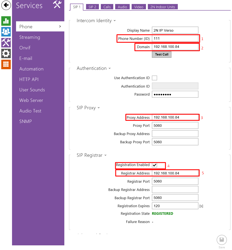
Configure the device with the following parameters:
- Phone ID: 111
- Domain: TapHome Core IP address
- Proxy Address: TapHome Core IP address
- Registrar address: TapHome Core IP address
- Enable registration to achieve REGISTERED status
2. Configure Call Parameters
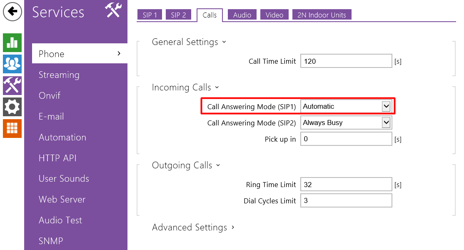
Establish call settings through the device’s phone calls configuration interface. This prepares the doorbell for SIP communication with TapHome Core.
3. Set Audio Codec
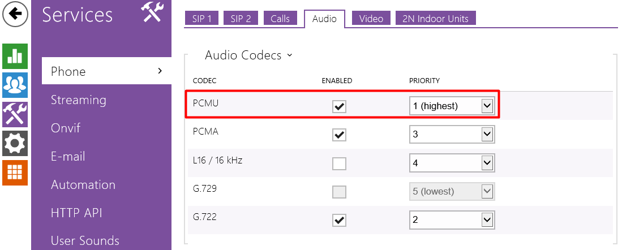
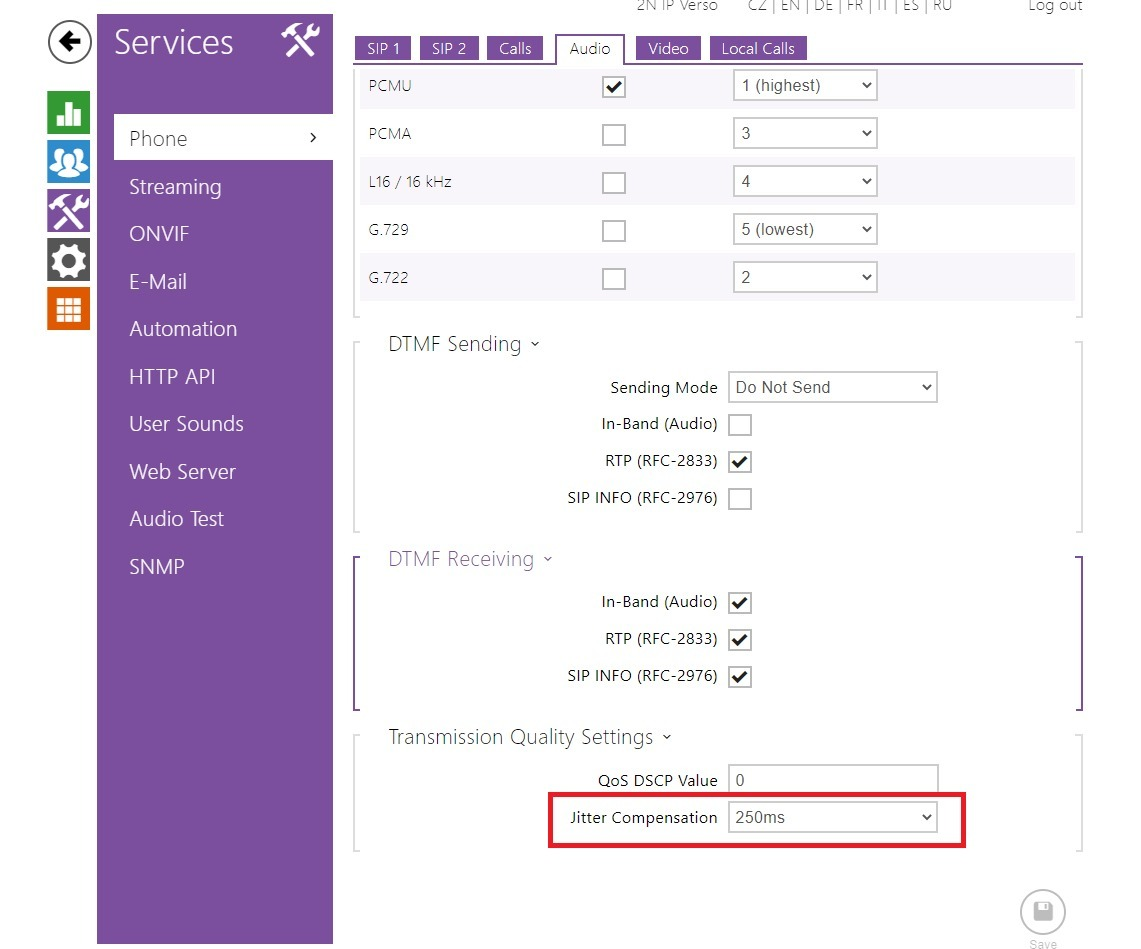
Configure audio settings:
- Codec: G711 (PCMU)
- Jitter Compensation: 250ms
This ensures reliable audio transmission during calls.
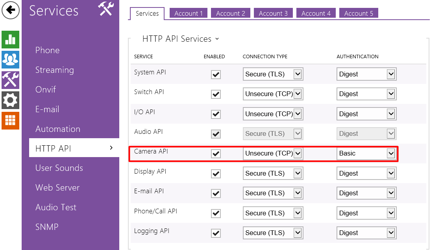
4. Enable HTTP API Access
Activate “Packet parser camera access” in the device settings. This allows TapHome to retrieve video and status information from the doorbell.
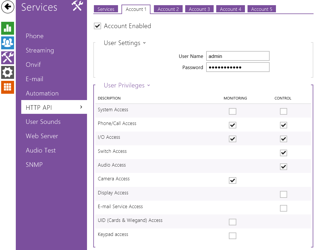
5. Create HTTP User Account
Generate an HTTP user with credentials (username and password) that will be used in TapHome as access credentials for authentication.
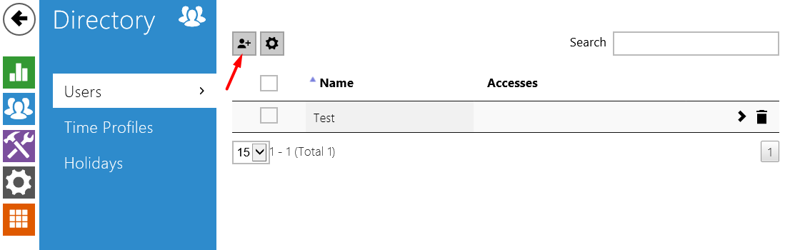
6. Add SIP User
Create at least one user account within the doorbell device for call routing purposes.
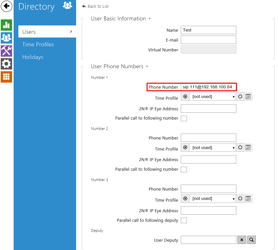
7. Configure User Phone Number
Set the user’s phone number using the following format:
sip:nnn@CoreIpAddress
Where:
nnnis the SIP extension numberCoreIpAddressis your TapHome Core unit IP address
8. Verify Door Lock Assignment
Confirm that the door lock mechanism is assigned to switch1.
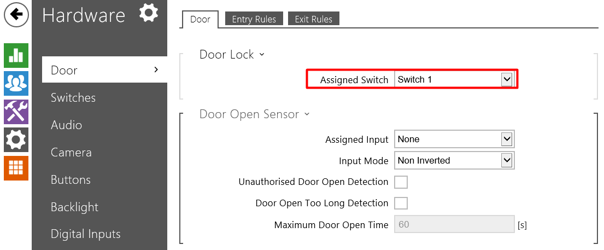
9. Configure Switch Parameters
Set Switch 1 to “Bistable switch mode” for complete TapHome control over door opening operations and duration.

10. Set Quick Dial Button
Configure the ring button with the following settings:
- Set button to call a predefined user
- Set button function during call to hang up
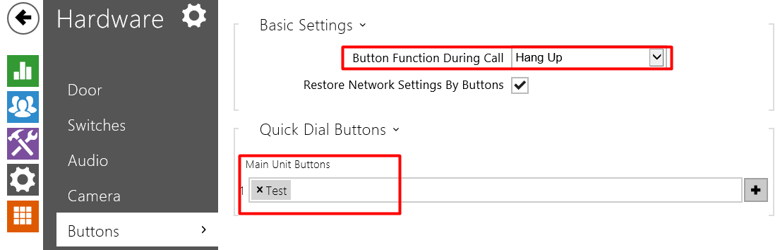
11. Establish Static IP Configuration
Configure either:
- MAC-based permanent IP reservation in your router, OR
- Direct static IP assignment on the device
This prevents device address changes that could disrupt connectivity.
Example static IP: 192.168.100.170
