We recommend using a Modbus bus to connect electricity meters.
The Modbus bus provides significantly more information that can be read from the meter (instantaneous power, voltage, current, frequency, power factor, etc.) compared to pulse counting, which only provides information about energy consumption.
Pulse measurement is more suitable for other types of meters:
- Water meters
- Gas meters
- Other meters that do not support Modbus communication
Electrical wiring
The impulse meter counter must be connected to any TapHome digital input. The +24 V conductor is used for the power supply, and the white wire is connected directly to the input (e.g., blue to +24 V, white to UI1).
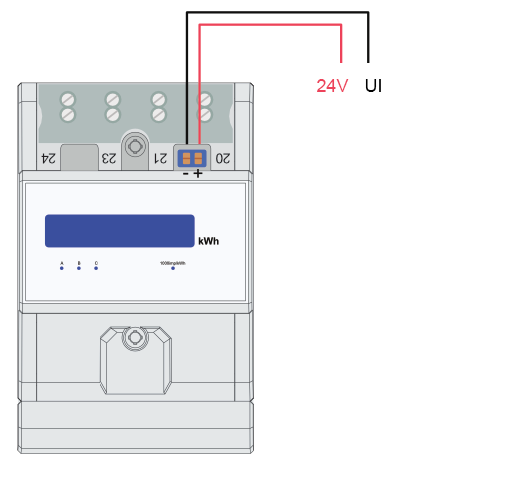
Digital input configuration
The input must be configured as an impulse counter: “Devices
-> open the appropriate device (e.g., UI – universal input)”
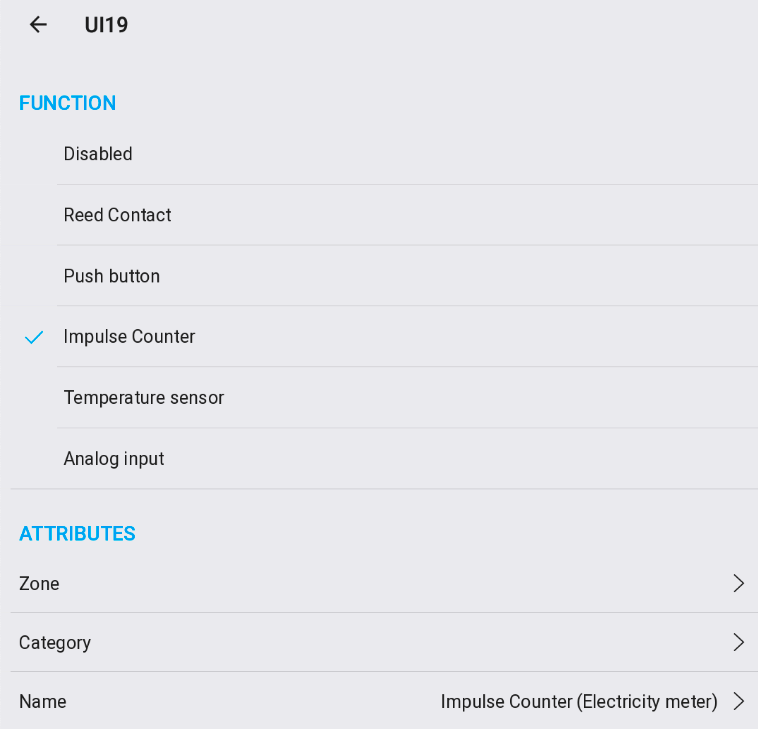
Virtual device configuration
Create a virtual device “Electric meter (impulse counter)” in Settings
→ Virtual Devices
→ Add new virtual devices
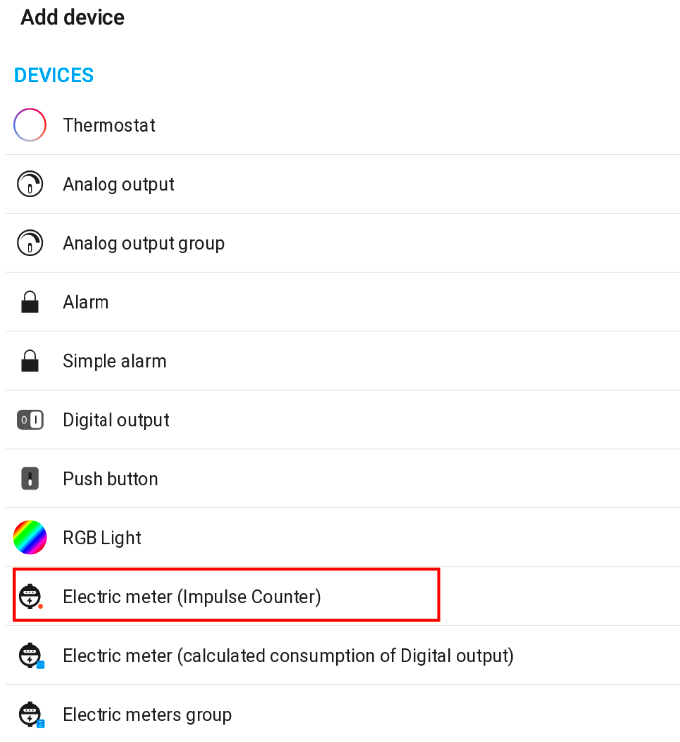
Linking the virtual device to the actual meter
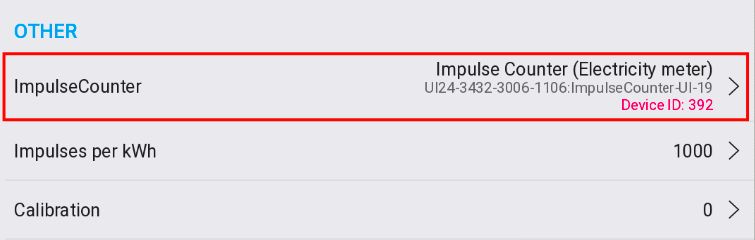
The new virtual meter must be configured and linked to the actual meter sensor (corresponding input):
- Device settings → Impulse Counter → select Meter is already connected
- Impulses per kWh is normally set to 1000, but can be adjusted if needed
- Calibration
is used if the meter already displays measured values
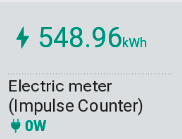
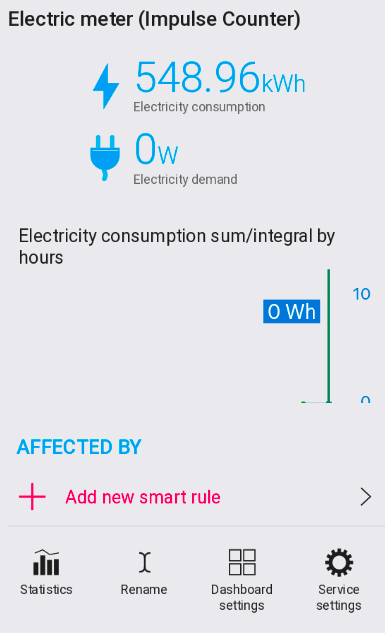
Final result
Widget
Detail
Important notes:
- Total consumption can be calibrated in Service settings → Device → Calibration
- Demand displays a 5-minute average to avoid interference