Documentation
Export device descriptions
Export project documentation from TapHome to CSV, including names, descriptions and module details. Includes templates for Google Sheets and Excel for efficient data processing.
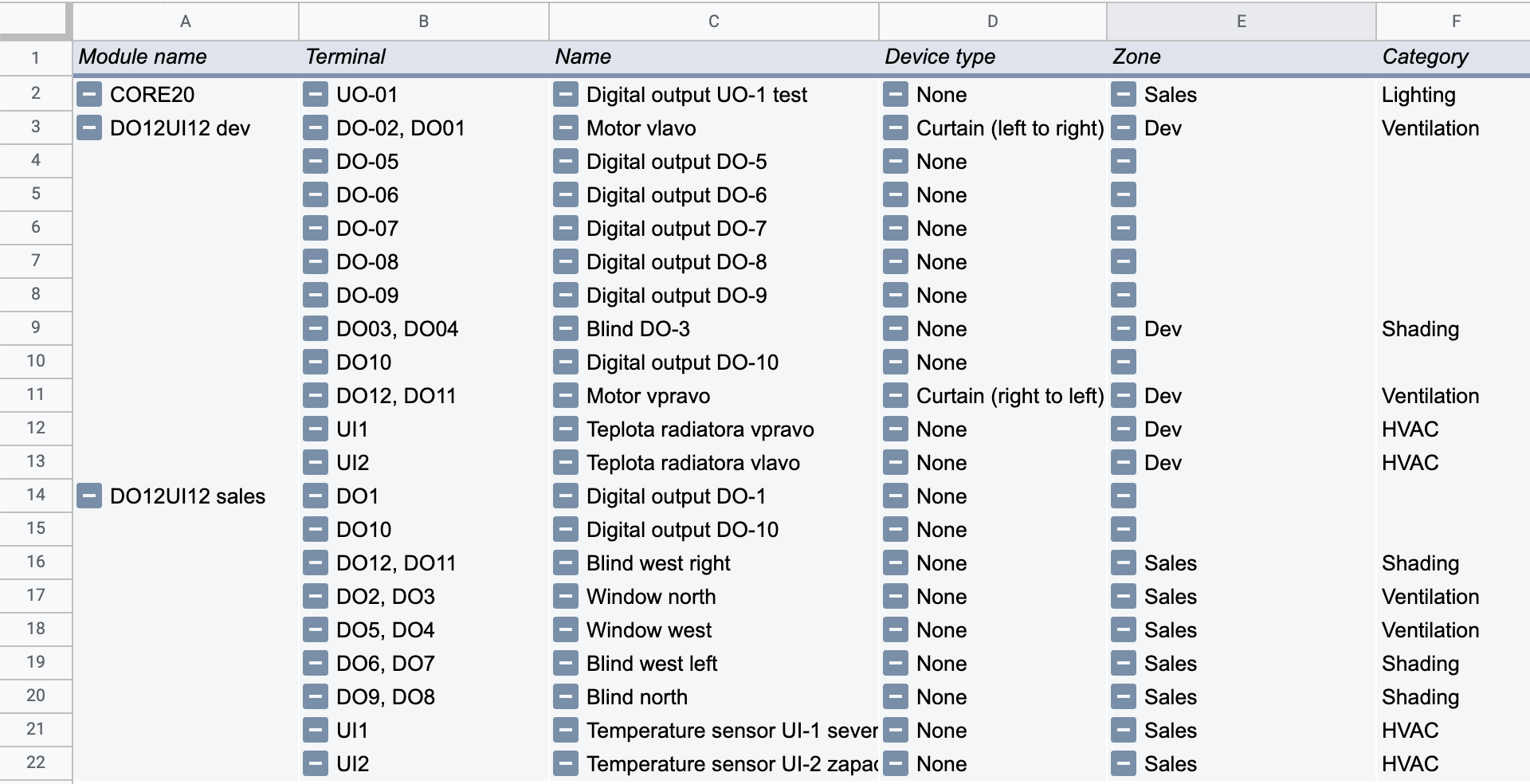
Quick export of project documentation
A quick way to provide basic printed project documentation is to export names and descriptions of inputs/outputs from TapHome modules.
Instructions:
- In the devices list (Devices
):
- Open the context menu ⋮
- Select Export modules .
OR
- Go to:
- Settings → Hardware → TapHome Bus
- Click Export modules .
CSV table format
After the export, the system will generate a CSV file with the following columns:
| Column | Example |
|---|---|
| Module type | CORE20, DO12, … |
| Module revision | 2.0 |
| Module name | DO12 1/3 |
| Serial number | DO12-1234-5678-abcd |
| Terminal | DO8, DO9 |
| Device | Blinds, Button, … |
| Device type | Air temperature, Floor temperature, … |
| Name | Device name |
| Zone | Living room |
| Category | Lighting |
Templates for processing the export
Recommended for online collaboration
Download Google Sheets template
- After opening, create a copy of the file.
- In the DATA sheet, paste the exported CSV data.
- The results will automatically appear in the Pivot table sheet.
For offline use
- In the DATA sheet, paste the exported CSV data.
- The results will automatically appear in the Pivot table sheet.